

When the master thesis becomes visible on the interface, the student can obtain a certificate from the Digital Repository, which must be submitted to the Office for Studies and Continuing Education.
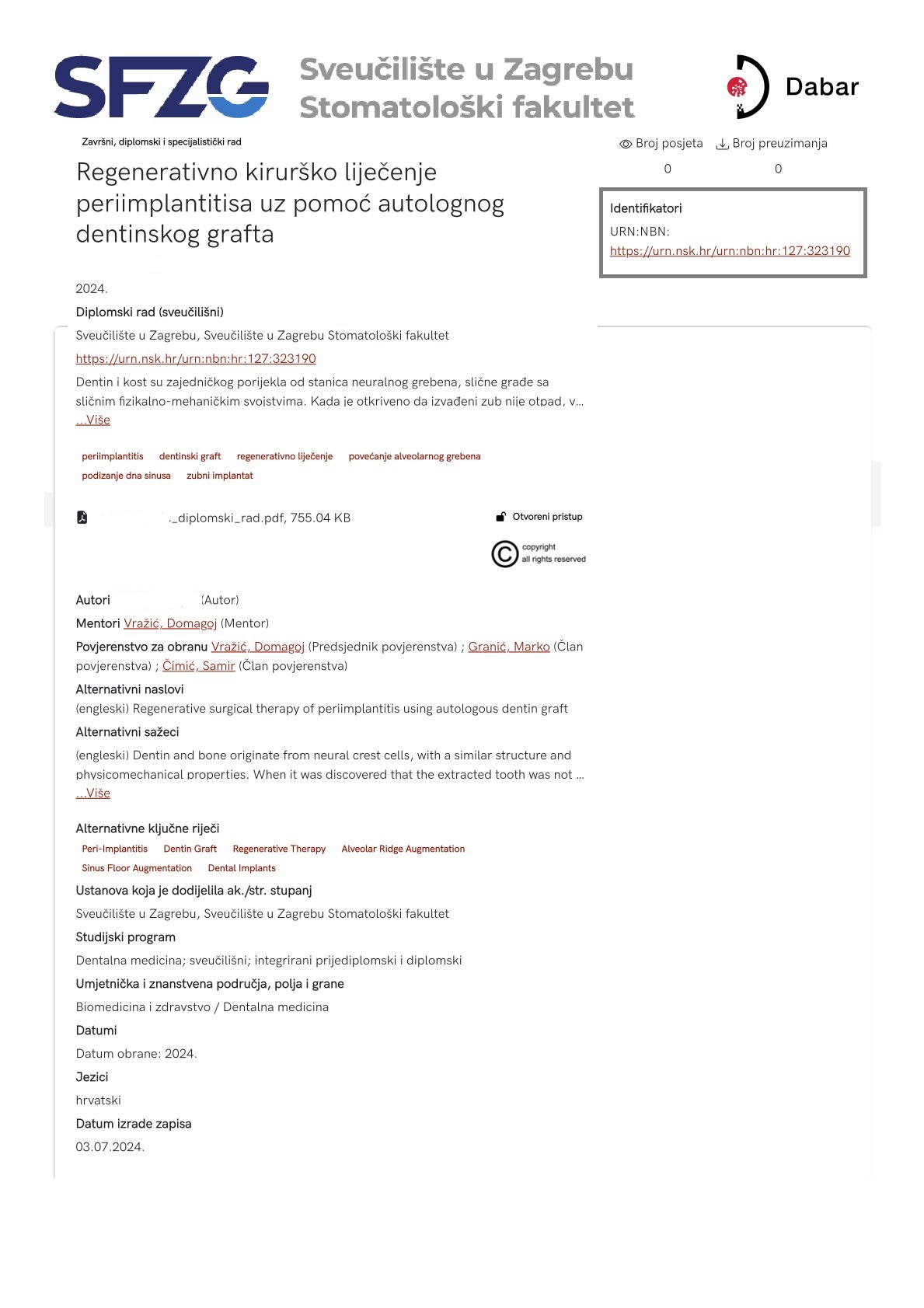
Search the Digital Repository by the title or author's last name; open the page with the bibliographic data about the thesis, press the Ctrl and p keys simultaneously.
This will open the print function.
Select the option Save as PDF option instead of the printer offered.
The certificate can only be obtained from the repository if the thesis has been published i.e., visible in the repository (it cannot be written on the certificate that Object has been successfully saved, but not published). The printout shows a link where the thesis is available in the format urn:nbn:hr:127:123456 (check an example on attached image)